Tech for working well from anywhere
A laptop alone is a compromise away from a desk — one cramped screen, too few ports, a tiring trackpad. A look at the pocketable gear that turns any café table or hotel room into a real workspace.
A laptop is a remarkable machine and, on its own, a compromise. Away from a desk it means one cramped screen, a trackpad that slows real work, and — on thinner models — barely enough ports to plug anything in. People put up with it because the alternative seems to be hauling a desk around. It is not.
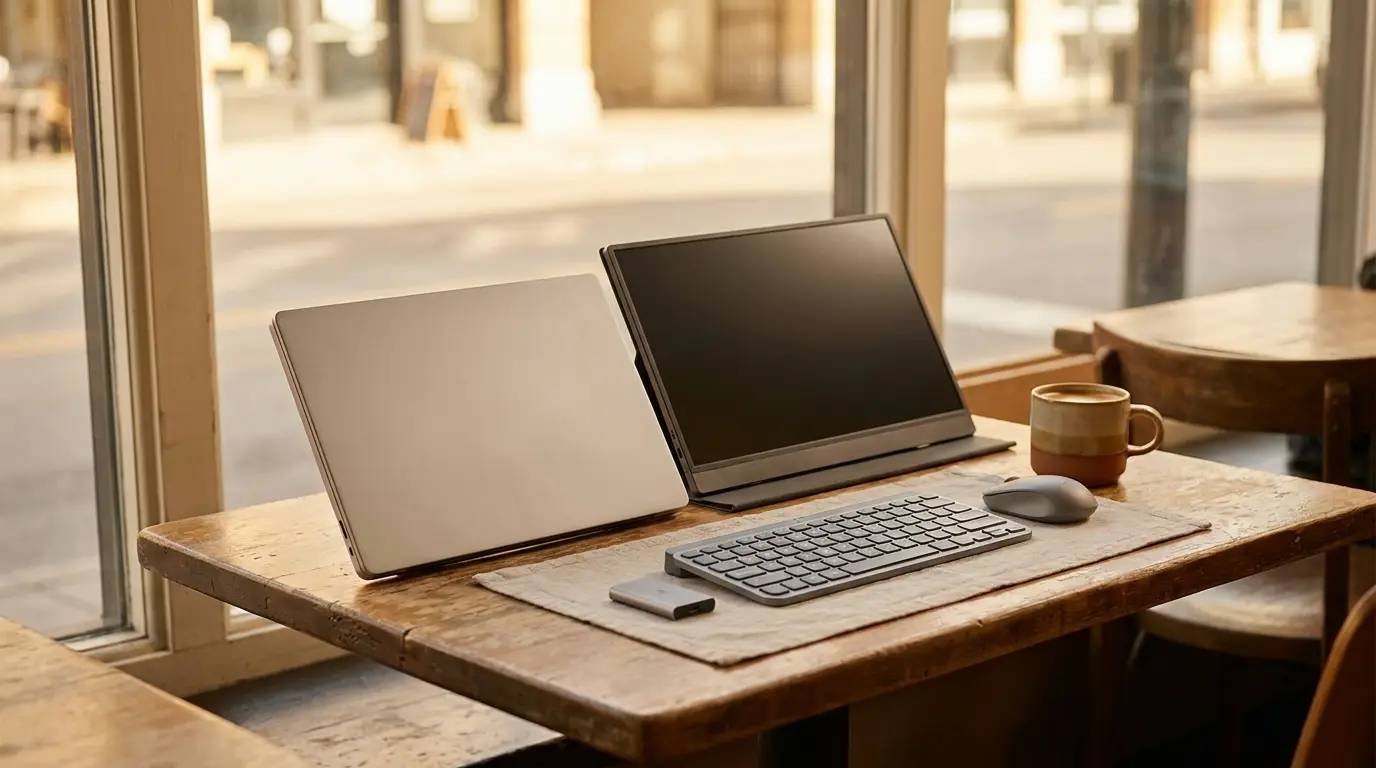
A handful of pocketable accessories removes the laptop's limits without weighing down a bag. A second screen, a proper keyboard and mouse, the ports the laptop dropped, fast storage, and a little protection in transit — together they turn a café table, a hotel desk, or a relative's spare room into a genuine workspace.
The real problem: a laptop is missing a desk's advantages
A desk setup quietly provides things a laptop lacks: screen space, a comfortable typing position, a real mouse, plenty of ports, and somewhere to store and back up files. Working from a laptop alone gives all of that up. The fix is not a more powerful laptop — it is restoring those specific advantages with small, portable pieces, each solving one missing thing.
Why it is worth solving
For anyone who works on the move — remote workers, students, frequent travelers — the laptop is the office, and its compromises are paid for every single day in slower work and more fatigue. The accessories that fix them are inexpensive, last for years, and fit in the same bag. Few upgrades to a working life are as portable or as immediately felt.
The categories that actually help
Six accessories restore what a desk would have provided: a second screen, a comfortable keyboard, a real mouse, the missing ports, portable storage, and protection in transit.
cocopar 15.6-inch Portable Monitor
- The problem it addresses
- A single laptop screen is cramped for real work, and a café or hotel room offers no second monitor.
- Why it may help
- A slim portable monitor connects over a single USB-C cable to nearly double the screen space anywhere — the biggest productivity jump most laptop-only setups can make. Light enough to live in a bag.
- Check before buying
- Confirm your laptop's USB-C port supports video output (DisplayPort Alt Mode), or plan to use HDMI; check the weight and whether a stand/cover is included; full brightness needs adequate power.
Logitech K380 Multi-Device Bluetooth Keyboard
- The problem it addresses
- A laptop keyboard forces hunching over the screen, and typing on a tablet or phone is slow.
- Why it may help
- A compact Bluetooth keyboard pairs with a laptop, tablet, or phone and switches between them, so typing stays comfortable without adding much to the bag. It runs for months on a coin battery.
- Check before buying
- Confirm it supports multi-device switching if you need it; the compact layout omits a numpad; it pairs over Bluetooth, so the device must support it.
Logitech M510 Wireless Mouse
- The problem it addresses
- A trackpad is slow and tiring for long editing or spreadsheet sessions.
- Why it may help
- A full-size wireless mouse is faster and more comfortable than a trackpad for real work, with a tiny USB receiver and long battery life. A long-running, reliable everyday mouse.
- Check before buying
- Choose a USB receiver or Bluetooth depending on your laptop's ports; check the size suits your hand; AA batteries vs. rechargeable is a preference.
Anker 7-in-1 USB-C Hub
- The problem it addresses
- Thin laptops drop to one or two USB-C ports, leaving no way to plug in HDMI, USB-A drives, an SD card, or ethernet.
- Why it may help
- A USB-C hub adds the missing ports — HDMI, USB-A, card readers, and pass-through charging — through one connection, turning a minimalist laptop into a full workstation on demand. Anker is a consistently well-regarded brand here.
- Check before buying
- Match the ports to what you actually use (HDMI resolution, card formats, pass-through wattage); confirm compatibility with your laptop; hubs can warm up under heavy load.
Samsung T7 Portable SSD (1TB)
- The problem it addresses
- Cloud storage is slow on weak connections, and a laptop's drive fills up with photos, video, and projects.
- Why it may help
- A pocket SSD moves and backs up large files far faster than a hard drive or an upload, and frees space on the laptop. Compact, shock-resistant, and fast over USB-C — a widely owned, well-reviewed drive.
- Check before buying
- Pick a capacity for your needs; confirm your laptop has USB-C (or use the included adapter); keep a second backup, since any single drive can fail.
MOSISO 360 Protective Laptop Sleeve (15-15.6 inch)
- The problem it addresses
- A laptop tossed into a bag with chargers and keys picks up scratches, dents, and worse.
- Why it may help
- A padded sleeve with reinforced corners and 360° edge protection cushions the laptop against knocks in transit, and the slim profile slips into any bag. Inexpensive insurance for an expensive device.
- Check before buying
- Match the sleeve to your laptop's exact size before buying — fit is what makes or breaks any sleeve; decide if you want an accessory pocket; check water-resistance if you commute in bad weather.
A few buying considerations
- The second screen is the biggest upgrade. For laptop-only work, a portable monitor changes productivity more than anything else on this list.
- Check USB-C capabilities before buying. Video output, charging wattage, and data speed vary by laptop port — confirm yours supports what a monitor or hub needs.
- A keyboard and mouse beat the built-ins for long sessions. Even a small external set reduces fatigue on multi-hour days away from a desk.
- Back up, don't just store. A portable SSD is for speed and a working copy — keep a second backup, because any single drive can fail.
The honest takeaway
Working well away from a desk is less about a powerful laptop than about the few accessories that remove its limits: a second screen, a comfortable keyboard and mouse, the ports the laptop dropped, fast portable storage, and protection in transit. Each fits in a bag, and together they turn a café table or a hotel room into a real workspace — which is the whole point of being able to work from anywhere.